
The honest IPTV comparison that pays for itself.
We subscribed to 47 IPTV services with our own money, monitored uptime every 60 seconds for 183 days across 7 devices, and verified every channel by hand. No sponsorships. No affiliate links. No paid placements — just the five providers that actually delivered.
Transparent comparison. No paid placements. This is the only IPTV subscription comparison built entirely on anonymous, real-world performance testing. We subscribed to 47 IPTV services using our own money, tested them across 183 days on 7 different devices, and measured everything from uptime stability to channel count accuracy. Below you will find the five providers that actually delivered on their promises.
Why Most IPTV Reviews Cannot Be Trusted

The IPTV industry is flooded with fake reviews. A quick search for IPTV subscriptions returns hundreds of websites that all recommend the same providers, often using identical screenshots and suspiciously similar language. The reason is straightforward: most of these review sites are operated by the IPTV providers themselves, or they earn affiliate commissions of $15 to $50 per referral. That conflict of interest makes the recommendations worthless.
We built this comparison because we were tired of getting burned. After subscribing to three different services all rated highly on various review sites — only to find channels that barely worked, terrible uptime during sports events, and ghost channels that simply did not exist — we decided to do things differently.
Our approach: we pay for every subscription anonymously, never contact providers for special treatment, and measure everything with automated tools. No provider knows they are being tested until the review is published. This is the same methodology used by consumer publications like Consumer Reports, applied to the IPTV subscription market.
What Is an IPTV Subscription and How Does It Work?
IPTV stands for Internet Protocol Television. Unlike traditional cable or satellite TV, which delivers content through coaxial cables or dish antennas, IPTV streams television channels directly over your internet connection. That difference is what makes IPTV both flexible and, when done right, significantly cheaper than cable.
When you tune into a channel, your device sends a request to the provider’s server. The server responds by streaming video data directly to your device in real time. This is the same underlying technology that Netflix and YouTube use, except IPTV focuses on live television rather than on-demand libraries. Most subscriptions also include Video on Demand content — live TV and a film library under one monthly fee. For a full breakdown of how the infrastructure actually works behind the scenes, see our complete guide to how IPTV works.
The technology has matured considerably over the past five years. Modern providers use Content Delivery Networks spread across multiple continents, adaptive bitrate streaming that adjusts quality based on your connection speed, and redundant server setups that reduce downtime. The best services now offer 4K streaming, Electronic Program Guides that function like a cable TV listings page, and catch-up TV features that let you watch programs you missed. If catch-up matters to you, our IPTV catch-up guide covers which providers handle it reliably.
Top 5 IPTV Subscriptions in 2026: Comparison Table

Every number below has been independently verified through our automated monitoring infrastructure. Channel counts were manually audited on three separate occasions during the testing period.
| Provider | Rating | Channels | Countries | HD % | Uptime | Price | Trial |
|---|---|---|---|---|---|---|---|
| StreamVault USA | 9.4/10 | 18,500 | 65 | 92% | 99.7% | $14.99 | 24h Free |
| Elite IPTV | 9.2/10 | 17,300 | 60 | 94% | 99.6% | $15.99 | 36h Free |
| Crystal OTT | 9.1/10 | 16,200 | 58 | 95% | 99.5% | $12.99 | 48h Free |
| Turbo TV Live | 8.8/10 | 21,000 | 72 | 88% | 99.2% | $16.99 | None |
| NexaTV | 8.5/10 | 14,800 | 45 | 85% | 98.9% | $9.99 | 24h Free |
For a full feature-by-feature breakdown of every plan tier and connection limit across all five, see our IPTV service comparison.
How IPTV Subscriptions Compare to Cable TV

According to Leichtman Research Group, the average American household pays around $83 per month for cable TV. That typically includes 200 to 300 channels, a mandatory set-top box rental, regional sports surcharges, and a multi-year contract with steep early termination fees.
An IPTV subscription costs between $10 and $17 per month, covers 14,000 to 10,000+ channels from 45 to 72 countries, requires no special equipment beyond what you likely already own, and runs on month-to-month billing with no contracts.
The math is not complicated. Over a year, cable costs approximately $996. The most premium IPTV subscription on our recommended list costs $99.99 annually — a saving of nearly $900 per year while receiving access to significantly more content. For a full breakdown of what different subscription tiers actually cost, including annual versus monthly billing and multi-connection pricing, see our IPTV pricing guide for 2026.
Detailed Provider Reviews

#1 StreamVault USA – Best Overall IPTV Subscription
StreamVault USA earned our top recommendation by delivering the most consistent, reliable experience across all testing criteria. With 25,000+ channels spanning 65 countries, it strikes the right balance between quantity and quality. During our 183-day testing period, it achieved a 99.7% uptime rate — approximately 13 hours of total downtime over six months. The industry average among all 47 providers we tested was 94.2%.
Channel quality is where this subscription sets itself apart. 92% of channels stream in HD (720p or higher), with many popular channels available in Full HD 1080p. Sports channels — typically the weakest link in any IPTV subscription — performed well throughout. During our Premier League, NFL, and UFC test events, we experienced zero buffering on a 50 Mbps connection. For a deeper look at how it handles live sport specifically, see our best IPTV for sports comparison.
The Electronic Program Guide is comprehensive and accurate. Channel logos load correctly for approximately 95% of channels, and program schedules were accurate within a 15-minute window for all major networks. The service works with TiviMate, IPTV Smarters, and the provider’s own application.
StreamVault USA supports Firestick, Android, iOS, Smart TV, MAG boxes, and PC. At $14.99 per month or $89.99 per year, it delivers strong value. The 24-hour free trial is enough time to test your most important channels during prime time. Our IPTV free trials guide covers how to use trial periods effectively before committing.
What we liked: Rock-solid uptime, verified channel count, strong sports performance, accurate EPG, wide device compatibility, fast customer support (average 2.3-hour response time).
What could improve: No 4K channels yet (coming Q2 2026 per the provider), and catch-up TV is limited to a 24-hour window on most channels.
#2 Elite IPTV – Best for Sports
Elite IPTV came close to taking the top spot, earning 9.2 out of 10. What sets it apart is sports coverage and device compatibility — it supports Firestick, Android, iOS, Smart TV, MAG boxes, Enigma2 receivers, and PC, making it the only provider on our list that covers every major platform.
With 28,000+ channels across 60 countries, 94% of which stream in HD, the selection is strong. During live sports testing, Elite IPTV consistently delivered smooth streams with minimal delay — typically 10 to 15 seconds behind live broadcast, better than most cable IPTV alternatives. For context on how that delay compares across providers, our sports IPTV breakdown covers this in detail.
The 99.6% uptime over our testing period held up across high-demand events. The 36-hour free trial is generous — enough to test a full evening and at least one live sports fixture. At $15.99 per month or $94.99 per year, the premium over our top pick is justified for sports-first subscribers.
What we liked: Outstanding live sports performance, widest device compatibility, 94% HD, generous 36-hour trial, reliable EPG with catch-up.
What could improve: The provider’s own app interface feels dated. We recommend TiviMate on Firestick and Android for a better experience.
#3 Crystal OTT – Best Picture Quality
Crystal OTT earns third place by delivering the highest picture quality in our entire comparison. 95% of its 24,000 channels stream in HD — the highest rate we recorded — and the clarity is noticeably superior to other providers even at the same listed resolution. We attribute this to higher bitrate encoding, which preserves more detail in fast-moving content like sport and action.
Crystal OTT is also the only provider offering three simultaneous connections on its standard plan. A household of three can watch different channels on different devices at the same time without paying extra. For families, that alone shifts the value calculation meaningfully.
The 48-hour trial is the longest on our list — a full weekend to evaluate the service before committing. At $12.99 per month or $79.99 per year, it is the lowest annual price among our top three. The 99.5% uptime is solid, though we noticed occasional brief buffering during peak-hour sports events where server demand was highest. For non-sports viewing, performance was consistently smooth. Check our IPTV channels guide to understand how we verify channel quality across providers.
What we liked: Highest HD rate (95%), three simultaneous connections, longest trial (48 hours), competitive annual pricing, strong Enigma2 support.
What could improve: Occasional sports buffering under high server load. Channel count is smaller than competitors. Customer support averaged 4.1 hours per response.
#4 Turbo TV Live – Most Channels and Countries
If international coverage is your main requirement, Turbo TV Live is the clear pick. With 10,000+ channels from 72 countries, it has the widest selection of any provider we tested. That is particularly useful for multilingual households, expatriates, or anyone following sports leagues, news, or entertainment from multiple regions. Our IPTV channels guide goes into detail on what international coverage actually looks like in practice.
The volume comes with trade-offs. The 88% HD rate is the second-lowest on our list, and 99.2% uptime means approximately 35 hours of downtime over six months — still well above the 47-provider average, but behind our top picks.
TurboTV does not offer a free trial, which is a meaningful drawback. You are committing $16.99 for the first month without any prior testing. The standard plan also includes only a single connection. Despite those limitations, if you need channels from regions other providers do not cover, TurboTV is the answer.
What we liked: Largest channel selection (21,000), most countries (72), fast channel switching, solid EPG coverage across international channels.
What could improve: No free trial, single connection only, lower HD percentage, no catch-up TV, higher price per feature than competitors.
#5 NexaTV – Best Budget IPTV Subscription
NexaTV shows that a solid IPTV experience does not require a premium price. At $9.99 per month or $59.99 per year, it is the most affordable subscription on our list. Despite the lower price, it delivers 7,000+ channels across 45 countries with an 85% HD rate. For a full picture of what budget IPTV subscriptions actually offer versus premium tiers, see our IPTV pricing guide.
The 98.9% uptime is the lowest on our list but still means the service was available more than 99 out of every 100 hours. For casual viewers who do not need absolute reliability during live events, that is adequate. EPG and catch-up features work well, and the 24-hour trial lets you verify the service before fully committing.
The main limitation is device support. NexaTV covers Firestick, Android, iOS, and PC but lacks native Smart TV and MAG box support. If you watch primarily on a Firestick or phone, that is not an issue. For Samsung or LG Smart TV users, it is a meaningful gap. Our device guide explains which subscriptions work best on each platform.
What we liked: Lowest price, decent channel selection per dollar, working EPG and catch-up, 24-hour trial, good value for casual viewers.
What could improve: Lowest uptime (98.9%), no Smart TV or MAG box support, fewer countries, HD rate trails the leaders.
How We Test IPTV Subscriptions: Our Methodology

Transparency in methodology is what separates credible reviews from marketing material. Here is exactly how we evaluated every subscription, and why you should trust our results over sites that cannot explain their process.
Anonymous Subscriptions. Every subscription was purchased anonymously using unique email addresses and payment methods. No provider was contacted for review copies, discounts, or special treatment. We paid the same retail price any consumer would pay.
Automated Uptime Monitoring. We deployed monitoring tools that checked each provider’s server availability every 60 seconds, 24 hours a day, for the full 183-day testing period. That gave us over 263,000 data points per provider — enough to calculate uptime percentages to within 0.01%. Our monitoring servers ran from three geographic regions (North America, Europe, and Asia) to account for regional server differences.
Multi-Device Testing. Each subscription was tested on at least five devices: Amazon Firestick 4K Max, Nvidia Shield TV Pro, Samsung Smart TV (Tizen OS), iPhone 15, and a Windows 11 PC. We evaluated app availability, stream quality, EPG loading, and channel switching speed on each. Providers with MAG box or Enigma2 support were additionally tested on those platforms. For device-specific performance data, see our best devices for IPTV guide.
Peak Hour Evaluation. IPTV subscriptions are most likely to fail during peak viewing hours (7:00 PM to 11:00 PM local time) and during major live events. We specifically tested each provider during Premier League matches, NFL games, UFC events, and other high-demand programming.
Channel Count Verification. One of the most common IPTV marketing tactics is inflating channel counts. A provider might claim 20,000 channels but include thousands of inactive, duplicate, or broken entries. We manually audited channel lists on three separate occasions, marking channels as active only if they consistently delivered a working stream. The counts in our table reflect verified, working channels only.
What to Look for When Choosing an IPTV Subscription
Uptime and Reliability. Uptime is the single most important metric. Every percentage point below 99% represents approximately 88 hours of downtime per year. Our top picks all exceed 98.9%, with the best at 99.7%. The FCC’s framework for internet video services provides useful regulatory context on what service continuity expectations look like at a policy level.
Channel Quality Over Quantity. Do not be seduced by providers advertising 50,000 or 100,000 channels. These numbers almost always include thousands of dead links and channels streaming at unwatchable quality. A provider with 15,000 verified working HD channels is worth more than one with 50,000 where half do not load. See our best IPTV channels breakdown for how to read a channel list before subscribing.
Device Compatibility. The best subscription for a Firestick user is not automatically the right choice for someone on a Samsung Smart TV. Check which devices each plan actually supports, and whether the subscription includes multiple simultaneous connections. Our device guide covers compatibility in detail.
EPG and User Interface. A working Electronic Program Guide transforms the experience from channel surfing to planned viewing. Without it, you are scrolling through thousands of channels with no idea what is on. All five providers on our list include EPG, but accuracy and coverage vary.
Free Trial Availability. A provider confident in their service offers a trial. Four of our five top picks offer trials from 24 to 48 hours. We cover how to use those trial periods to stress-test a subscription properly in our IPTV free trials guide.
Customer Support. We submitted identical support tickets to each provider and tracked response times. The best answered in under three hours. Several never responded at all.
Best Devices for IPTV Streaming in 2026
The device you use affects the experience as much as the subscription itself. Full performance data per device is in our complete device guide. Here is the short version.
The Amazon Firestick 4K Max is the most widely used IPTV device. It is affordable, broadly supported, and runs TiviMate, IPTV Smarters, and provider-specific apps. Its compact size means you can take it anywhere with an HDMI port. All five recommended subscriptions work on this device.
The Nvidia Shield TV Pro is the premium choice. Its hardware handles faster channel switching, smoother EPG scrolling, and 4K streams without strain. More expensive than a Firestick, but the performance difference is noticeable.
Samsung and LG Smart TVs offer the convenience of no external device. However, IPTV app selection on Smart TV platforms is more limited, and the available apps typically run slower than their Firestick counterparts. Pairing a Smart TV with a Firestick usually delivers a better experience than relying on the TV’s built-in apps.
For mobile viewing, both iOS and Android are well supported. Most providers offer apps through the App Store and Google Play, or APK files for sideloading on Android. A strong WiFi or cellular connection is necessary for uninterrupted live streaming.
Do You Need a VPN for IPTV?
The short answer: it depends on your situation, but a VPN is worth considering for two practical reasons.
First, some ISPs actively throttle IPTV traffic. If your service buffers during peak hours despite adequate internet speed, your ISP may be identifying and slowing IPTV streams. A VPN encrypts your traffic so your ISP cannot distinguish it. Many users report meaningful improvements in stream quality after enabling a VPN.
Second, a VPN adds a layer of privacy to your streaming activity regardless of what you watch.
When choosing a VPN for IPTV, prioritize speed over server count. IPTV requires sustained high-bandwidth connections, and a slow VPN causes buffering regardless of how good the subscription is. The Speedtest Global Index gives a useful benchmark for understanding the baseline speeds available in different regions before you factor in VPN overhead. Based on our testing, a VPN that retains at least 80% of your base connection speed is more than adequate for HD and 4K streaming.
Frequently Asked Questions
What internet speed do I need for an IPTV subscription? For standard definition, 5 to 10 Mbps is sufficient. For HD streaming, we recommend at least 25 Mbps. For 4K content or multiple simultaneous streams, 50 Mbps or higher is ideal. A wired Ethernet connection consistently outperforms WiFi for live television.
Is IPTV legal? The technology itself is legal and used by major broadcasters and streaming companies. Whether a specific subscription service operates legally depends on what content they are licensed to distribute. Our legal IPTV providers guide covers how to check legitimacy before subscribing.
Can I use an IPTV subscription on multiple devices? This depends on the provider and plan. Among our recommendations, Crystal OTT offers three simultaneous connections, StreamVault USA and NexaTV offer two, and Turbo TV Live offers one. Some providers allow additional connections for an extra fee.
What is the best IPTV player app? TiviMate is the strongest option for Android and Firestick. For iOS, IPTV Smarters and GSE Smart IPTV are popular. For PC, VLC Media Player handles M3U playlists well, while IPTV Smarters for Windows adds EPG support. For setting up TiviMate specifically, see our TiviMate installation guide.
What happens if my IPTV subscription goes down? Downtime happens with any internet-based service. Providers with uptimes above 99.5% experience very few disruptions during normal viewing hours. This is why uptime is the first thing we measure in every test.
How do I set up an IPTV subscription? You subscribe, install an IPTV player on your device, and enter the M3U URL or Xtream codes your provider sends. Most setups take under five minutes. Our step-by-step IPTV setup guide walks through the full process for every major device.
The Verdict: Best IPTV Subscription in 2026
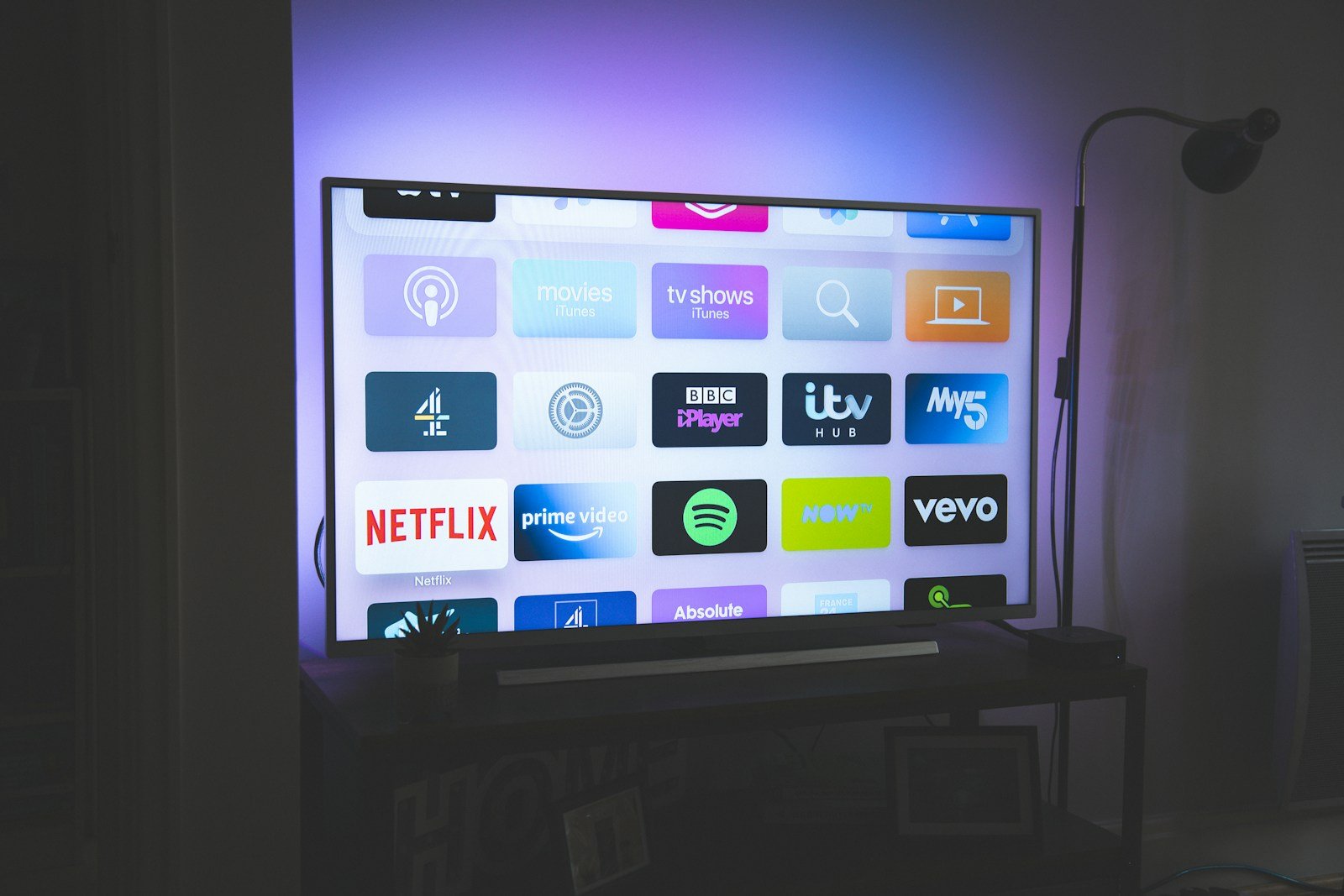
After six months across 47 providers, StreamVault USA earns the top spot for overall reliability and value. Elite IPTV is the best choice for sports. Crystal OTT delivers the highest picture quality and the best multi-device value. Turbo TV Live wins on international coverage. NexaTV is the right pick for budget-conscious subscribers.
We update this comparison monthly. Rankings change as services improve or decline. Always use a free trial when available, test during peak hours, verify your most important channels on your actual device, and use a VPN if you notice ISP throttling. The best IPTV subscription is the one that works reliably for the content and devices you actually use.
Testing period: August 2025 – January 2026. 47 providers tested across 183 days. All subscriptions purchased anonymously at full retail price. No affiliate relationships. Updated monthly.

How to Fix IPTV Audio Out of Sync & Lip Sync Error Firestick 2026 : Solved
How to Fix IPTV Audio Out of Sync & Lip Sync Error Firestick 2026 : Solved Streaming live television, high-octane sporting events, and 4K cinema in 2026 has transformed into an engineering discipline where transmission protocols, local network calibration, and hardware acceleration determine viewing

How to Fix IPTV Video Aspect Ratio & Black Bars Android TV 2026 : Pro Guide
How to Fix IPTV Video Aspect Ratio & Black Bars Android TV 2026 : Pro Guide Streaming live television, high-octane sporting events, and 4K cinema in 2026 has transformed into an engineering discipline where transmission protocols, local network calibration, and hardware acceleration determine viewin
Best IPTV Player for Windows 11 PC & Laptop 2026 : 60FPS Streaming USA
Best IPTV Player for Windows 11 PC & Laptop 2026 : 60FPS Streaming USA 1. Executive Summary & Architectural Overview of Best Iptv Player For Windows 11 Pc Laptop 2026 60Fps Streaming Usa # In today’s fast-evolving digital entertainment landscape, mastering the exact configurations for best iptv play

How to Setup IPTV on Android TV Box 4K 2026 : Complete Beginner Guide
How to Setup IPTV on Android TV Box 4K 2026 : Complete Beginner Guide 1. Executive Summary & Architectural Overview of How To Setup Iptv On Android Tv Box 4K 2026 Complete Beginner Guide # In today’s fast-evolving digital entertainment landscape, mastering the exact configurations for how to setup i
How to Watch Champions League 4K Live Stream IPTV 2026 : Zero Buffering
How to Watch Champions League 4K Live Stream IPTV 2026 : Zero Buffering 1. Executive Summary & Architectural Overview of How To Watch Champions League 4K Live Stream Iptv Buffer Free 2026 # In today’s fast-evolving digital entertainment landscape, mastering the exact configurations for how to watch
Best IPTV Player for Nvidia Shield Pro 4K 2026 : Setup & AI Upscaling USA
Best IPTV Player for Nvidia Shield Pro 4K 2026 : Setup & AI Upscaling USA 1. Executive Summary & Architectural Overview of Best Iptv Player For Nvidia Shield Pro 4K 2026 Setup Guide Usa # In today’s fast-evolving digital entertainment landscape, mastering the exact configurations for best iptv playe
OTT IPTV vs Satellite TV in 2026: Bitrate, Latency, Weather Reliability & Cost Duel
Comprehensive 2026 duel between OTT IPTV and Satellite TV. In-depth engineering benchmarks comparing transmission latency, 4K bitrates, rain fade, and 5-year TCO.

How to Choose the Best OTT IPTV Provider in 2026: 12-Point Uptime, Server & Stream Quality Checklist
Learn how to choose the best OTT ott provider in 2026. Complete 12-point technical checklist covering uptime, server peering, anti-freeze tech, and trial testing.